More Ways to Give
Ralphs Community Contribution Program

Support APCF every time you shop for groceries!
When you shop at Ralphs with APCF as your Community Contribution on your Rewards card, your shopping can add up to $150 a year in donations!
Every September, you must re-register APCF on your Ralphs’ card for a new year of giving.
STEP 1 – Sign-up for a Ralphs.com Account. (If you already have a Ralphs.com account, skip to STEP 2.)
STEP 2 – Register APCF as Your Community Contribution with the following steps:
Log-in to Ralphs.com
Click “Sign-In” to enter your email address and password
Click on “My Account” at the top right corner
Click on “Community Rewards” at the bottom of the page
Type “Asian Pacific Community Fund” and click on search
Click on the circle to the left of “Asian Pacific Community Fund” to start contributing!
The more you shop, the more you support APCF! Thank you to all our supporters for your participation every year.
#GivingTuesday
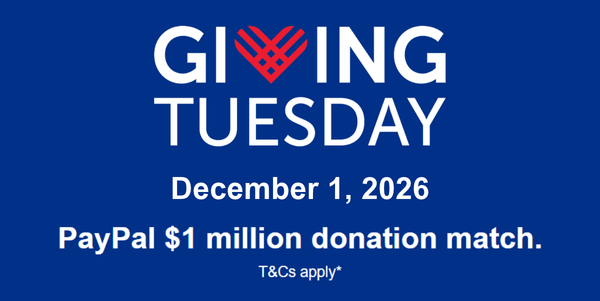
Double Your Giving This Giving Tuesday
This Giving Tuesday, Dec 1, we have a special opportunity through a partnership with PayPal: your gift to the Asian Pacific Community Fund (APCF) could go twice as far.
Double your giving, up to $250, to invest in AANHPI communities:
PayPal can match eligible donations up to $250 per donor, while matching funds last. Donors must be US residents age 18 or older with a PayPal account.
The match opens at 12:00 a.m. Pacific Time on Tuesday, Dec 1 and runs through Dec 31, or until PayPal's shared $1 million pool for all participating charities runs out. It's first come, first served.
Because matching is first come, first served, we encourage you to set an alarm and give at 12:00 a.m. PT on Dec 1 if you can.
How to give:
Click APCF's PayPal donation link.
Choose your amount and click the "Donate Now" button.
Log in to your PayPal account to complete your gift. Gifts made without logging in (guest checkout) are not matched.